
MANGA TRANSLATION
DIRECT IN BROWSER.
100% SOVEREIGN.
Eliminate clunky cloud scrapers and untrusted proxies. Translate raw manga directly in Chrome & Firefox with your choice of engine: 100% on-device WebGPU, direct Gemini Cloud, or local self-hosted LLMs.
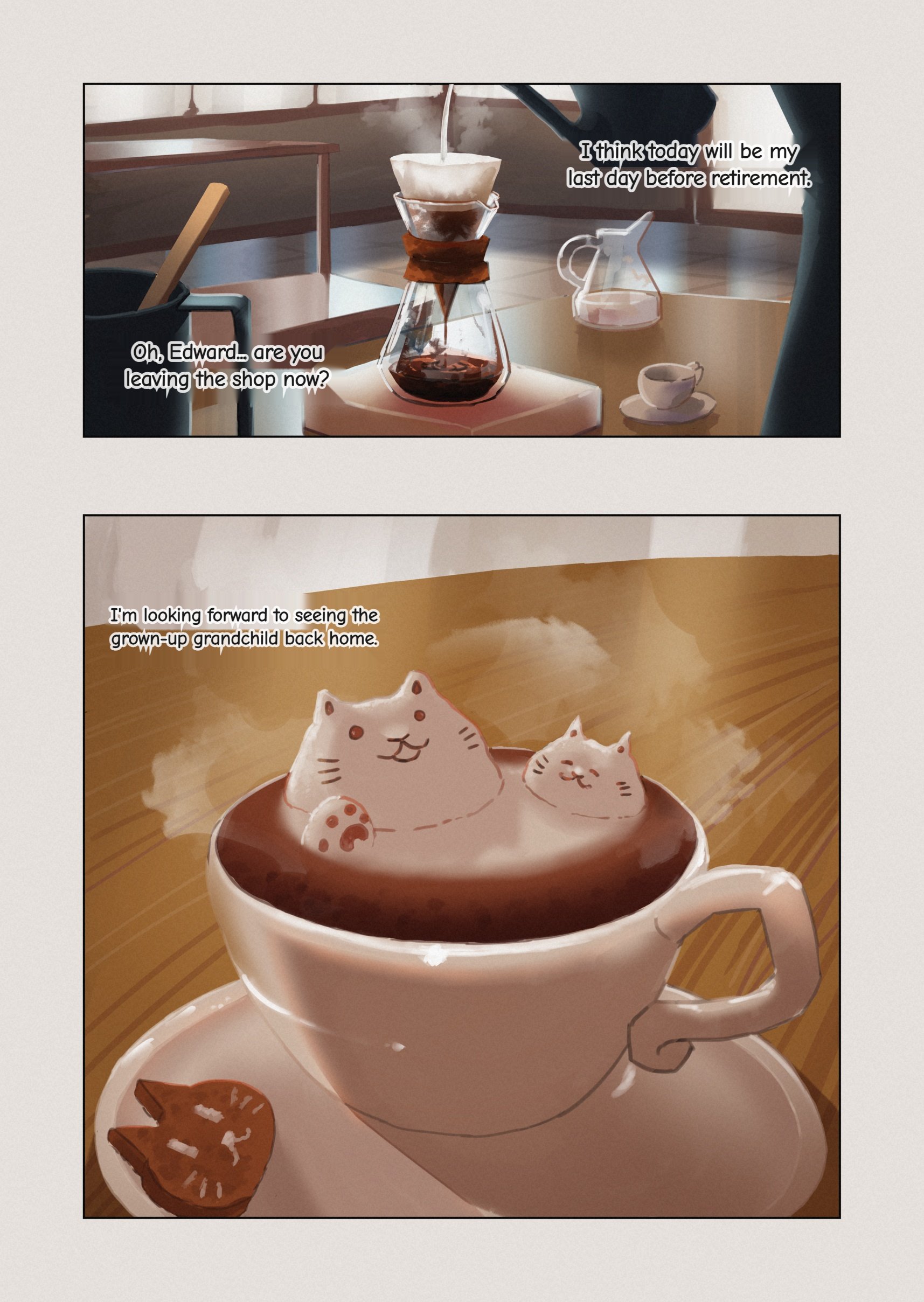
RAW SCAN VS. INPAINTED TRANSLATION
Drag the interactive split handle below. LMT replaces sound effects and raw Japanese speech bubbles with clean, in-context translated typography while preserving subtle screentone textures.

Planar Fast Fill
Samples perimeter paper tone around the bounding box. Zero noise introduced on flat white/cream backgrounds.
Bilateral Denoise
Edge-preserving bilateral smoothing for heavily compressed scanlations. Eliminates JPEG ringing.
Pure-JS Telea Engine
Fast-marching inpainting algorithm only deployed when text overlaps screen tones or artwork. Evaluated by strict quality metrics.
THREE TRANSLATION MODES, ONE PIPELINE
You decide where your data goes. Keep every byte strictly inside your GPU, use Google's multimodal cloud directly with your free key, or route text tokens through your personal Ollama box.
WebGPU Mode
100% On-Device & Offline
Executes Qwen3 4B or 8B through WebLLM directly on your graphics card. YOLO26 and PaddleOCR run on WASM CPU. Works in airplane mode after weights cache.
- Network Egress:0 Bytes (Offline)
- Acceleration:WebGPU Direct
- Recommended:Qwen3 4B / 8B
Gemini Mode
Multimodal Speed & Quality
Sends numbered bubble canvas crops straight to Google Gemini API using your personal API key. OCR and translation occur in a unified pass without middleman proxies.
- Middleman:None (Direct Client)
- Key Requirement:Google AI Studio (Free)
- Model:Gemini 2.5 Flash / 3.1 Flash
API Mode
Ollama / LM Studio / Local AI
Extracts bubble text locally using PaddleOCR, then sends only text strings to your custom server. Images never leave your machine; supports OpenAI and LM Studio experimental schemas.
- Supported:Ollama, LM Studio, v1/chat
- Payload:Extracted Text Only
- Privacy:Full Infrastructure Control
Live Pipeline Flow Simulator
Select a mode above or click buttons to watch how pixels and tokens route through the offscreen thread.
BUILT FOR BINGE READERS & TRANSLATORS
LMT is not a passive script. It provides an on-reader floating HUD, interactive bounding-box fine-tuning, side-by-side OCR inspection, and custom font rendering.
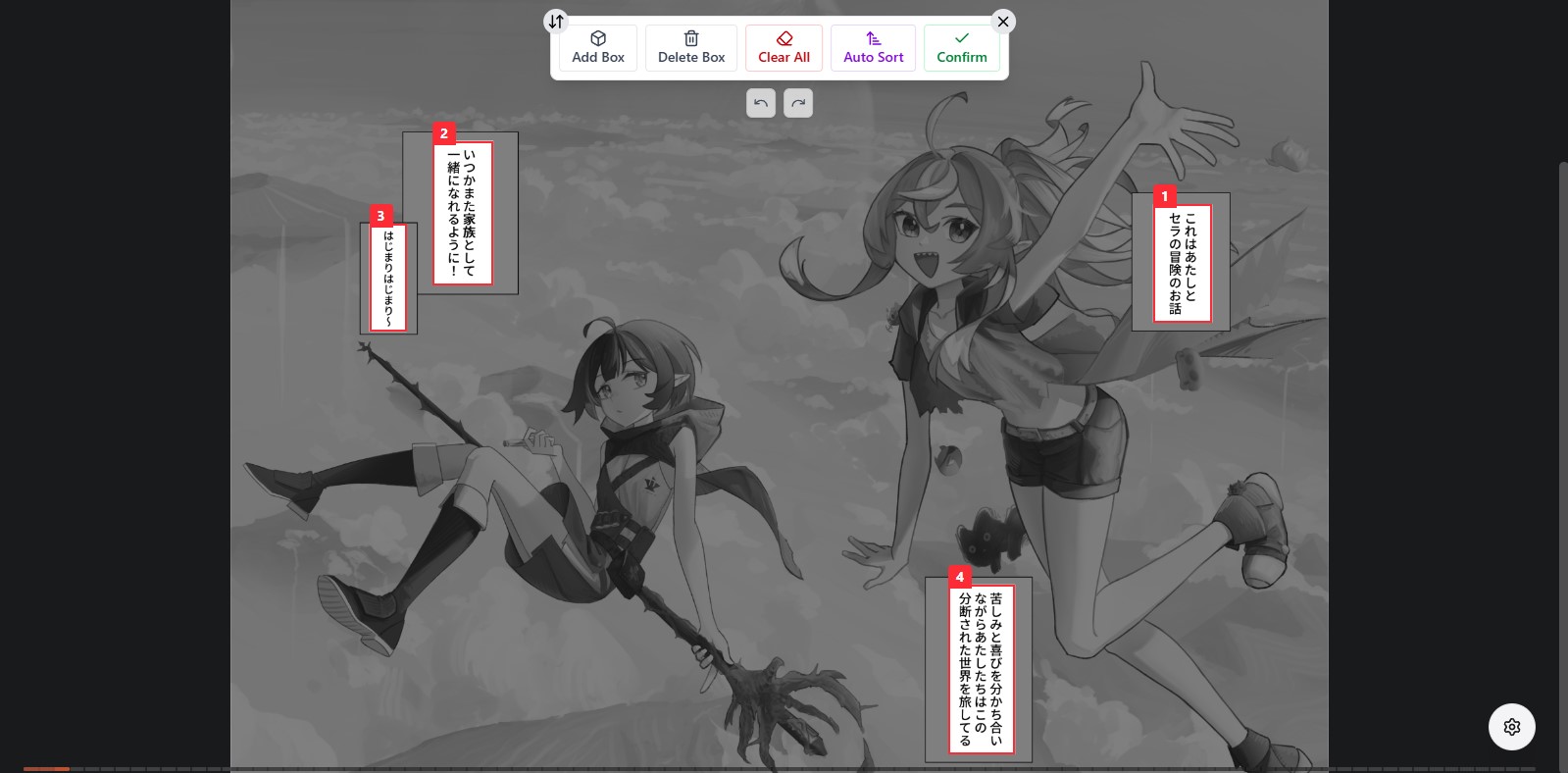
Right-To-Left Bubble Sequencing
Every detected dialogue bubble is sorted in Japanese manga reading order (right-to-left, top-to-bottom). Easily drag, resize, add missing boxes, or delete background noise before translating.
- Interactive drag and corner handles with live boundary coordinates
- Full Undo / Redo history with keyboard shortcuts (Ctrl+Z / Ctrl+Y)
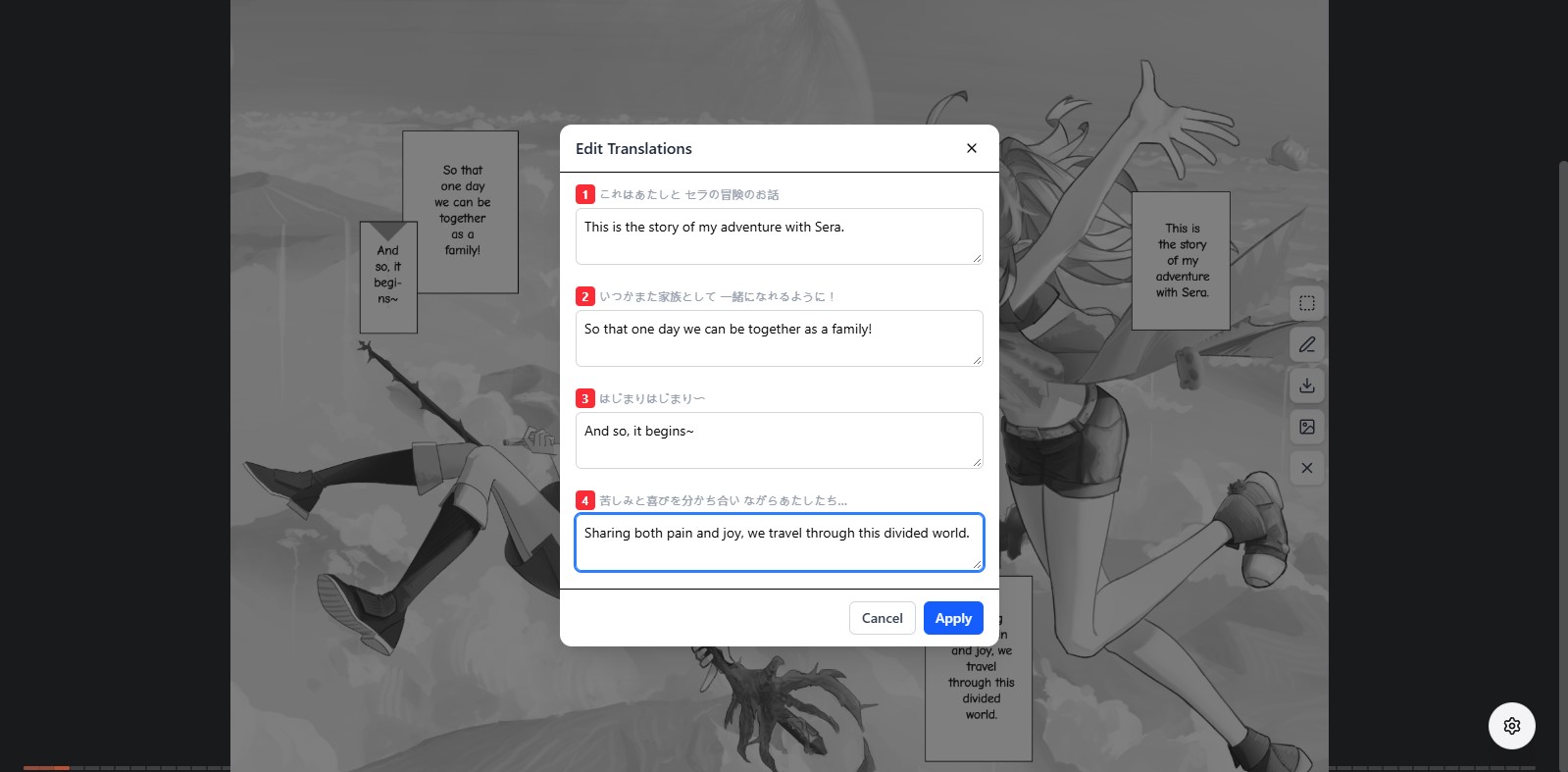
Inspect Raw OCR & Edit Translations
Spot a typo or weird LLM phrasing? Open the in-place Edit Modal. Inspect extracted Japanese text directly opposite English lines. Tweak text and click Apply to re-render without re-running inpaint.
- Side-by-side source script and translation comparison per bubble
- Zero-latency canvas re-render with cached inpaint background layer
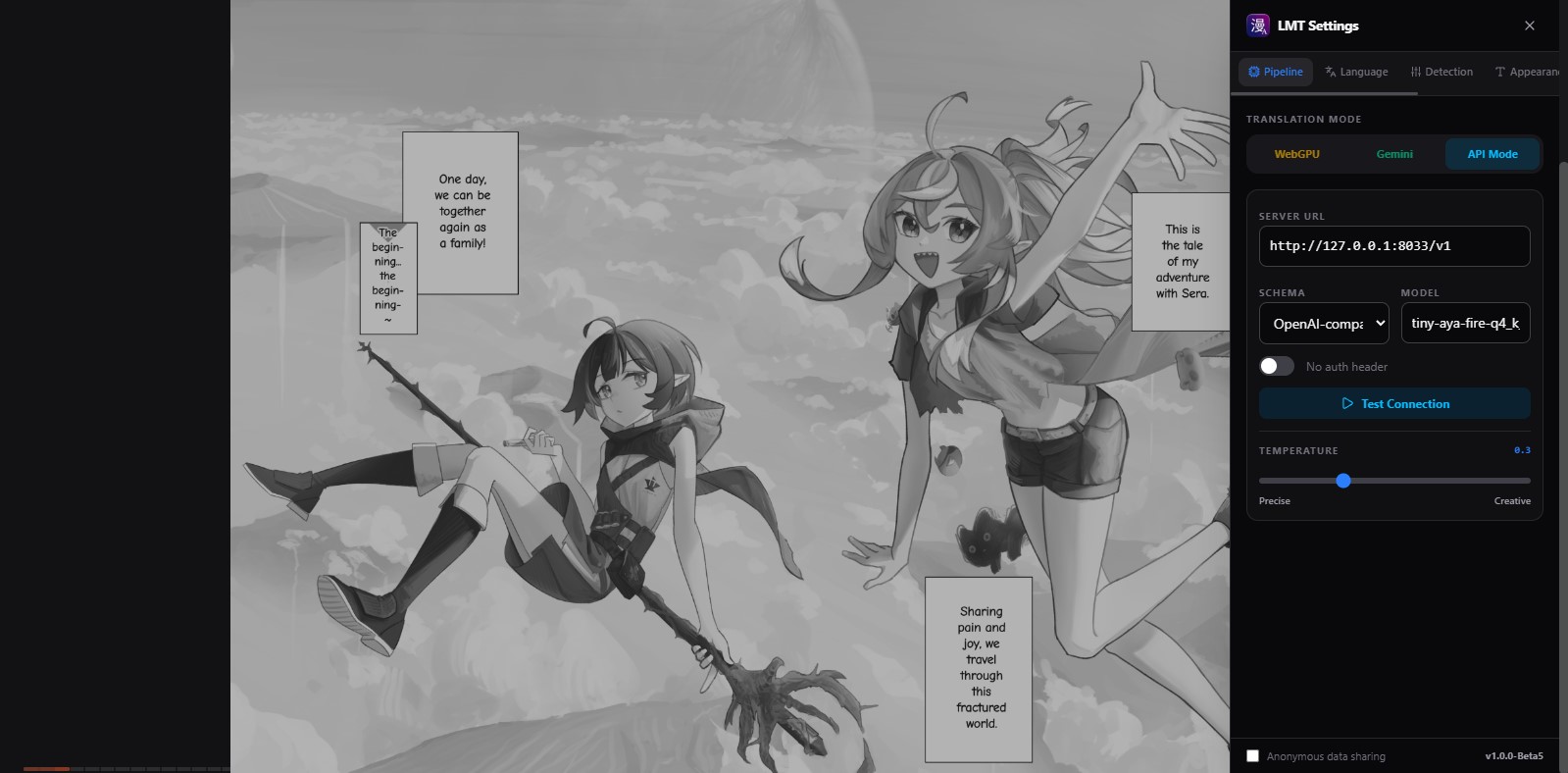
Floating On-Page Reader Sidebar
Never leave your manga tab to adjust settings. A floating tactical cog opens a sliding HUD panel right over the reading surface, synchronizing state with the extension popup seamlessly.
- Quickly switch between WebGPU, Gemini, and API modes mid-chapter
- Instant toggle between original raw image and translated output
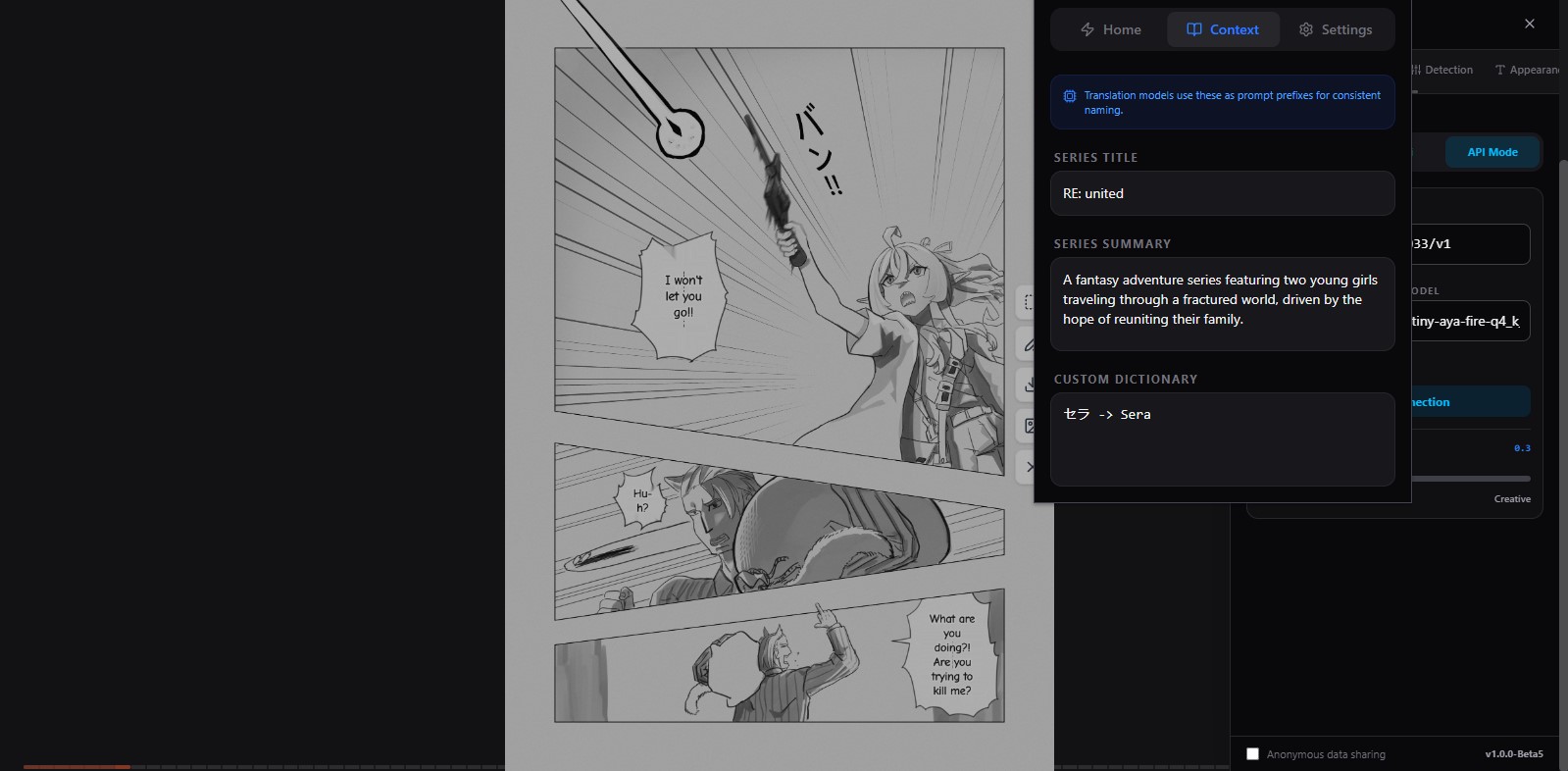
Smart Site Adapters & AI Rule Gen
LMT recognizes series titles, chapter numbers, and page indices across popular sites. On new or private manga aggregators, the built-in AI Rule Generator automatically derives matching regex rules.
- Maintains character glossaries and 5-page narrative context
- Drop in custom TTF/OTF fonts to match your preferred comic lettering
Language Script Gate
3.7MB on-device OSD LSTM prevents sound effects and art drawings from translating into gibberish.
Universal CDN Proxy
Bypasses Cloudflare anti-hotlink referer checks using MV3 declarativeNetRequest background headers.
Custom Typography
Ships with Noto Sans, Bangers, and Comic Neue. Drop in custom TTF/OTF/WOFF files via Settings.
Direct Image Export
Download pristine, full-resolution translated pages directly to your disk as clean JPEG files.
START READING IN THREE STEPS
Get up and running in under two minutes. No cloud subscription or credit card required.
Install LMT Extension
Load the extension unpacked in Chrome (Developer Mode) or Firefox (about:debugging). Pre-built zip artifacts are available on GitHub Releases.
Get Unpacked ZIPSelect Translation Mode
Choose WebGPU for automated on-device Qwen3 download, paste a free Gemini API key, or enter your local Ollama/LM Studio host URL.
Open Any Manga & Translate
Click the LMT extension icon or right-click any manga panel and click Translate Image. Review the bubble bounding boxes and hit Confirm.
Detailed How-To Guide
Step-by-step walkthrough of bubble sorting, hotkeys & canvas export.
Detailed Configuration
Ollama, LM Studio, WebGPU memory requirements, & custom fonts.
Frequently Asked Questions
GPU compatibility, vertical text OCR, Firefox signing & privacy.
CURRENT CHANGELOG RELEASE
LMT is developed transparently with open-source updates. Below is the active release status.
v1.0.0-Beta
LATEST RELEASEDelivered in Beta
- Extra Detectors + Model Storage: RT-DETR and Comic Text Detector (per-pixel mask seeding) in Settings › Detection; per-model size, delete, and clear-all in Settings › Model Storage.
- Manga-OCR Engine: selectable Japanese vertical-text specialist alongside PaddleOCR in Settings › OCR; gate-held boxes keep text for viewing/editing.
- LaMa Redraw (Opt-In): deep-learning rung for screentone/halftone art in Appearance › Inpainting; declined regions keep original pixels with a "Declined" marker.
- Reader & Cache Hardening: reliable page-index resolution, page+image-hash cache keys, right-click fix, overlay keyboard isolation.
- Auto Inpainting Ladder: Multi-stage Planar fill, Bilateral denoise, Optional LaMa Model and Pure-JS Telea engine with quality fallback checks.
- Language Script Gate: 3.7MB OSD LSTM stops sound effects and art lettering from being mistranslated.
Actively In Progress
- Inpainting Hardening: Screentone fixtures and golden-image verification across ladder rungs and edge cases.
- Chinese & Korean OCR: Expanding CJK recognition beyond Japanese to support Manhua, Manhwa, and Webtoons.
- OCR Reliability & Gate Tuning: Isolating false negatives on heavily stylized or mixed lettering.
Roadmap Ahead
- Signed Firefox Add-On: Official Mozilla Add-ons (AMO) marketplace submission for permanent persistence.
- Expanded Community Site Adapters: Auto-bundled rules for popular aggregator domains.